Minimal launcher
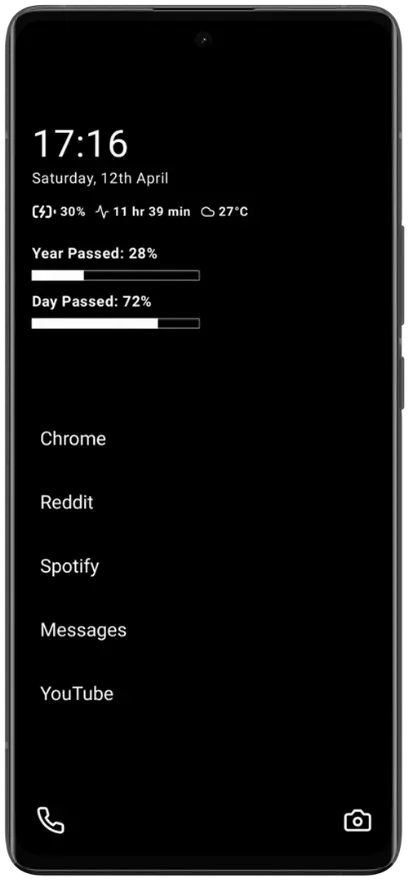
A calm, text-first home screen that keeps essential apps close and visual noise out.

Android digital wellbeing
deScroll
A minimalist launcher and focus toolkit that helps you block distractions, understand screen time, and interrupt doomscrolling.
01
Simplify
Replace visual clutter with a clean launcher.
02
Protect
Set boundaries around distracting apps.
03
Understand
Review usage and scrolling patterns.
Built for attention
deScroll gives you several ways to change the environment around a habit. Enable only the controls that fit how you use your phone.
A calm, text-first home screen that keeps essential apps close and visual noise out.
See app activity, time spent, and short-video scroll patterns in clear daily views.
Restrict distracting apps using rules you choose, including schedules and limits.
Set daily app limits and receive timely warnings before a quick check becomes an hour.
Create protected focus sessions that make attention-grabbing apps harder to reach.
Quiet selected alerts and review notification history without constant interruptions.
Measure supported short-video scrolling so an invisible habit becomes visible.
Get optional guidance based on the context you choose to share with the assistant.
Inside deScroll
These screens come directly from the onboarding experience included in deScroll.
Minimalistic UI
A distraction-free launcher built around the information and apps you need.
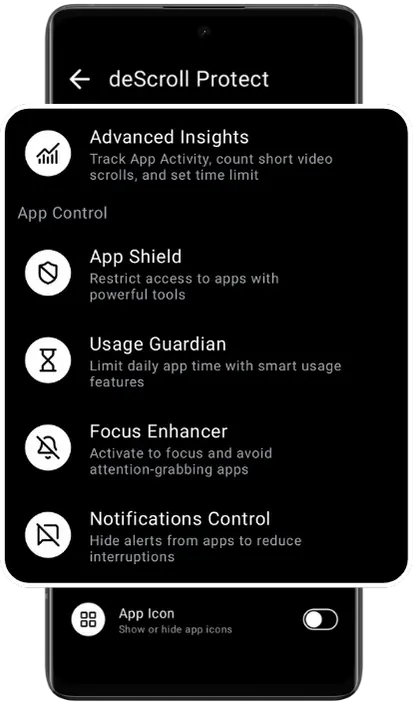
deScroll Protect
One place for App Shield, Usage Guardian, Focus Enhancer, insights, and notification controls.
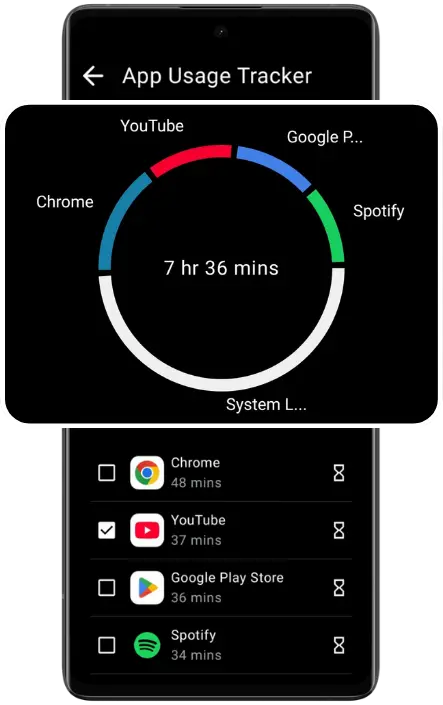
App Usage Tracker
Understand how time is distributed across apps with direct, readable analytics.
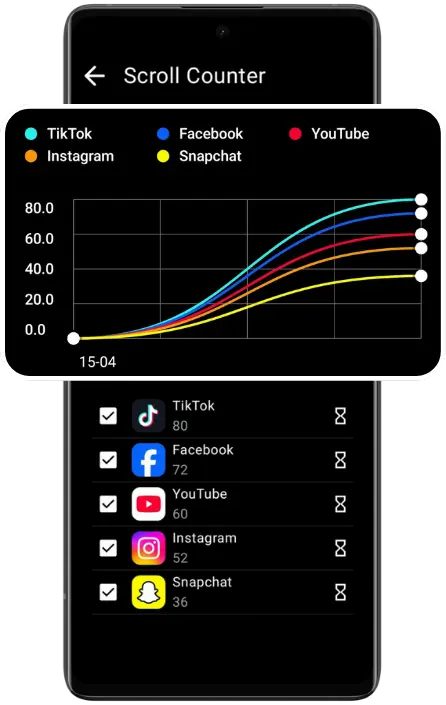
Scroll Counter
Track supported short-video scrolling and review the pattern over time.
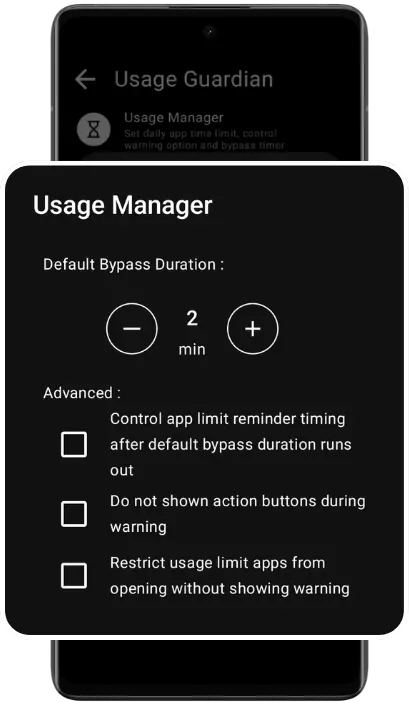
Usage Guardian
Set daily boundaries and get a clear warning when a configured limit is reached.
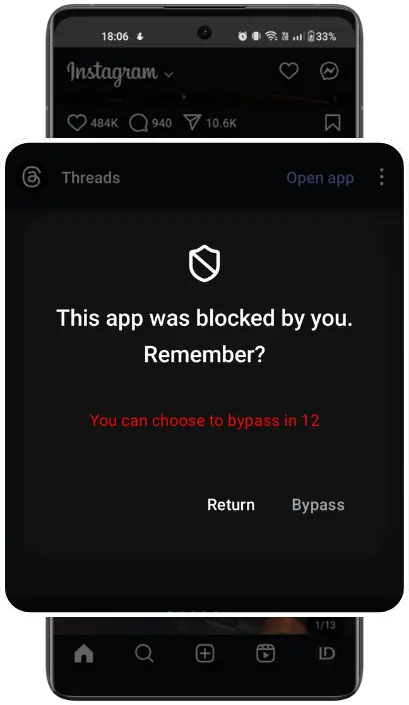
App Shield
Block selected apps during the hours and situations where focus matters most.
Pricing
deScroll is free to download. Optional premium plans are offered monthly, every six months, and yearly.
Localized billing
See current prices in Google Play
Google Play displays the current price, currency, trial eligibility, renewal terms, and available offers before purchase.
View plans on Google PlayDownload deScroll and build a setup that protects your attention without taking away the tools you need.
Get deScroll